This article is awaiting a source review. Check time-sensitive claims against current primary sources before relying on them.
AI-powered reconciliation in Xero and other UK accounting platforms can cut manual bank statement processing time significantly: here's how to use it safely.
AI bank statement automation is genuinely useful for small businesses, but only when the software keeps you in control of the decisions that matter. Platforms like Xero are building what they call 'accountable intelligence' into their reconciliation tools: AI that suggests, flags, and learns, rather than acts unilaterally. For accountants and bookkeepers processing dozens of PDF statements each month, understanding where automation helps and where human review is still essential can save hours without creating compliance headaches.
Why Manual Bank Statement Processing Is Still a Problem in 2026
Talk to any bookkeeper handling accounts for five or more small business clients and you will hear the same complaint: too much time spent copying numbers from PDFs into spreadsheets or accounting software. According to Xero's own research, 81% of small business owners say their work is more stressful than in previous years, and repetitive financial admin sits near the top of the list of reasons why.
The core problem is format inconsistency. Barclays exports statements in a 3-column layout with a running balance column. HSBC uses a different date format. Lloyds Business online banking produces PDFs that look clean but resist direct copy-paste because the text layer is misaligned. Each bank has its own quirks, which means any automation tool has to handle real-world messiness rather than idealised data.
Manual re-keying is not just slow: it introduces errors. A single transposed digit in a reconciliation can take 30 minutes to trace. Multiply that across a month of transactions and the time cost becomes significant. This is exactly the gap that AI bank statement automation is designed to fill.
What Does 'Accountable Intelligence' Actually Mean for Accounting Software?
Xero introduced the term 'accountable intelligence' to describe AI features that assist rather than replace human judgement. The distinction matters. Standard automation runs a rule and applies it. Accountable intelligence runs a rule, shows you its reasoning, and asks you to confirm before anything posts to your ledger.
In practice, this looks like:
- Suggested transaction matches: Xero's bank reconciliation tool analyses your transaction history and proposes matches between bank feed entries and invoices or bills, showing you the confidence level for each match.
- Anomaly flagging: The software highlights transactions that deviate from your usual patterns (for example, a direct debit that is 40% higher than the previous three months) before you reconcile.
- Coding suggestions: Based on supplier name and transaction description, the system suggests a nominal code, but you approve or override it.
- Duplicate detection: AI scans for near-duplicate entries that might indicate a double import from a CSV or PDF statement.
None of these features post anything automatically. Each requires a human decision. That is the point.
How to Automate Bank Statement Processing with AI Without Losing Oversight
The practical workflow for a UK small business or their accountant typically runs in two stages: getting clean data into the system, then letting AI assist with the reconciliation itself.
Stage 1: Converting Bank Statements to a Usable Format
Before any AI reconciliation can happen, your bank statement data needs to be in a structured format, usually CSV or OFX. Many UK businesses receive PDF statements from their bank and cannot connect a live bank feed, either because their bank does not support Open Banking feeds for their account type, or because they are processing historical statements.
This is where a dedicated conversion tool earns its place. The bank statement converter at convertbank-statement.com handles PDFs from all major UK banks (including Barclays, HSBC, Lloyds, NatWest, Santander, and Metro Bank) and produces clean CSV files ready for import into Xero, QuickBooks, or Sage. Getting the format right at this stage means the AI reconciliation tools downstream have accurate, well-structured data to work with. Garbage in, garbage out applies to AI just as much as it does to manual processes.
Stage 2: AI-Assisted Reconciliation in Xero
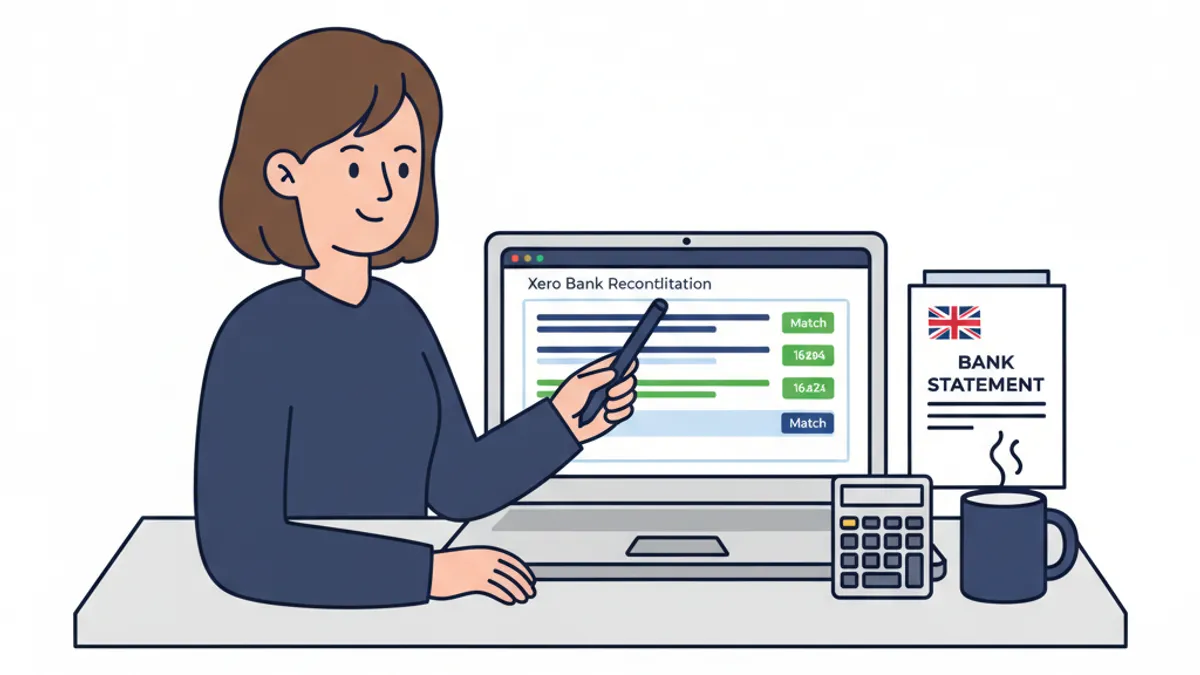
Once your transactions are in Xero via bank feed or CSV import, the reconciliation workflow with AI assistance looks like this:
- Open the Bank Reconciliation screen for the relevant account.
- Xero presents suggested matches, grouped by confidence level. High-confidence matches show green; lower-confidence ones show amber.
- Review each suggestion. For high-confidence matches, bulk-approve if you are satisfied. For amber matches, open the detail view to see why the system is uncertain.
- For unmatched transactions, use the AI coding suggestion as a starting point, then apply your own judgement.
- Flag any anomalies the system has raised and investigate before approving.
- Once all transactions are reviewed, reconcile and move to the next period.
A reconciliation that previously took 90 minutes per client can come down to 25-35 minutes using this workflow, based on typical bookkeeper feedback. The time saving comes from not having to think from scratch about every transaction: the AI does the initial sorting, and you do the quality control.
Does AI-Assisted Reconciliation Meet HMRC's MTD Requirements?
Making Tax Digital for Income Tax Self Assessment (MTD for ITSA) applies to sole traders and landlords with income over £50,000 from April 2026, dropping to £30,000 from April 2027. HMRC requires digital record-keeping and quarterly submissions using compatible software. Xero is on the HMRC-approved MTD software list.
AI-assisted features within MTD-compatible software do not create compliance problems, provided the human operator reviews and approves the records before submission. HMRC's requirement is for accurate digital records, not for records produced without software assistance. The accountable intelligence model (where AI suggests and humans approve) satisfies this requirement cleanly.
What does create problems is over-reliance on automation without review. If AI miscategorises a transaction and you approve it without checking, the error is yours. HMRC does not accept 'the software did it' as a defence for incorrect submissions. This is why the human-in-the-loop design of accountable intelligence tools is not just a marketing position: it reflects genuine compliance logic.
For businesses still converting PDFs manually and importing CSVs, the same principle applies. A well-converted statement fed into Xero is far less likely to cause reconciliation errors than a manually re-keyed one. See the best bank statement converter comparison guide for 2026 for a breakdown of which tools handle UK bank PDF formats most reliably.
Comparing AI Reconciliation Features Across UK Accounting Platforms
| Platform | AI Match Suggestions | Anomaly Detection | Coding Suggestions | MTD Compatible | CSV Import |
|---|---|---|---|---|---|
| Xero | Yes, with confidence scoring | Yes | Yes | Yes | Yes |
| QuickBooks Online | Yes | Limited | Yes | Yes | Yes |
| Sage Accounting | Yes | Yes | Partial | Yes | Yes |
| FreeAgent | Basic | No | Basic | Yes | Yes |
| Kashflow | Basic | No | No | Yes | Yes |
Xero and QuickBooks Online currently offer the most developed AI reconciliation features for UK small businesses. Sage has invested significantly in AI tooling since 2024 and is closing the gap. FreeAgent, popular with freelancers and sole traders, remains more manual in its reconciliation approach but covers MTD requirements.
Practical Steps to Get Started with AI Bank Statement Automation
If you want to move toward a more automated reconciliation workflow this quarter, here is a sensible starting point:
- Audit your current statement sources. List every bank account you reconcile and whether each one has a working Open Banking feed in your accounting software. Note the ones that do not.
- Set up conversion for PDF-only accounts. For accounts without a live feed, use a reliable PDF to CSV conversion tool to produce import-ready files. Consistency in format matters more than speed.
- Enable AI suggestions in your accounting platform. In Xero, this is on by default. In QuickBooks, check the bank rules and auto-match settings under the Banking menu.
- Set a review policy. Decide which transaction types your team can bulk-approve at high confidence and which always need individual review (payroll runs, VAT payments, large one-off amounts above, say, £5,000).
- Check your MTD submission schedule. If you are within scope for MTD for ITSA from April 2026, confirm your software is compatible and your import workflow produces records in the required digital format.
- Review accuracy monthly for the first three months. Run a spot-check comparing AI-suggested codings against your manual judgement on a sample of 20 transactions. Most practices find accuracy above 90% within two months as the system learns your transaction patterns.
Frequently Asked Questions
Can AI reconciliation tools process historical bank statements in PDF format?
Yes, but not directly. AI reconciliation tools in platforms like Xero work with structured transaction data, not raw PDFs. You first need to convert your PDF statements to CSV or OFX format using a dedicated conversion tool, then import the data into your accounting software. Once imported, AI reconciliation features can match and categorise the historical transactions in the same way they handle live bank feed data.
Is Xero's intelligent reconciliation compliant with HMRC's MTD requirements?
Xero is listed on HMRC's approved MTD-compatible software register and meets the digital record-keeping requirements for MTD for VAT and MTD for ITSA. AI-assisted features within Xero do not affect compliance, as long as a human reviews and approves all transactions before submission. HMRC requires accurate digital records, not unassisted ones.
How accurate are AI coding suggestions in Xero for UK bank transactions?
Accuracy improves over time as the system learns from your approvals and overrides. Most Xero users report coding suggestion accuracy in the range of 85-95% after two to three months of active use, based on community feedback on AccountingWeb. Accuracy is highest for recurring suppliers and payees with consistent transaction descriptions.
What UK banks are supported for automatic bank feeds in Xero?
Xero supports direct bank feeds from most major UK banks including Barclays, HSBC, Lloyds, NatWest, Santander, Halifax, and Monzo. Where a direct feed is not available (for example, some business savings accounts or smaller banks), you can import transactions using CSV or OFX files converted from PDF statements.
Will AI automation reduce the need for a bookkeeper or accountant?
Not in any near-term realistic scenario. AI reconciliation tools reduce time spent on repetitive matching and data entry, but they increase the demand for qualified review. Accountants and bookkeepers using these tools are shifting from data processing toward exception handling, pattern recognition, and advisory work. The technology changes how the job is done, not whether it is needed.
What happens if an AI reconciliation error goes undetected into an HMRC submission?
The business owner or their agent is responsible for the accuracy of any MTD submission, regardless of how the records were produced. An incorrect submission resulting from an unreviewed AI error could result in penalties from HMRC under the standard penalty framework for inaccurate returns. This is why the human review step in accountable intelligence workflows is not optional: it is the compliance control.